Documenting a Fleet Graphics Exception for Added Vehicle Equipment
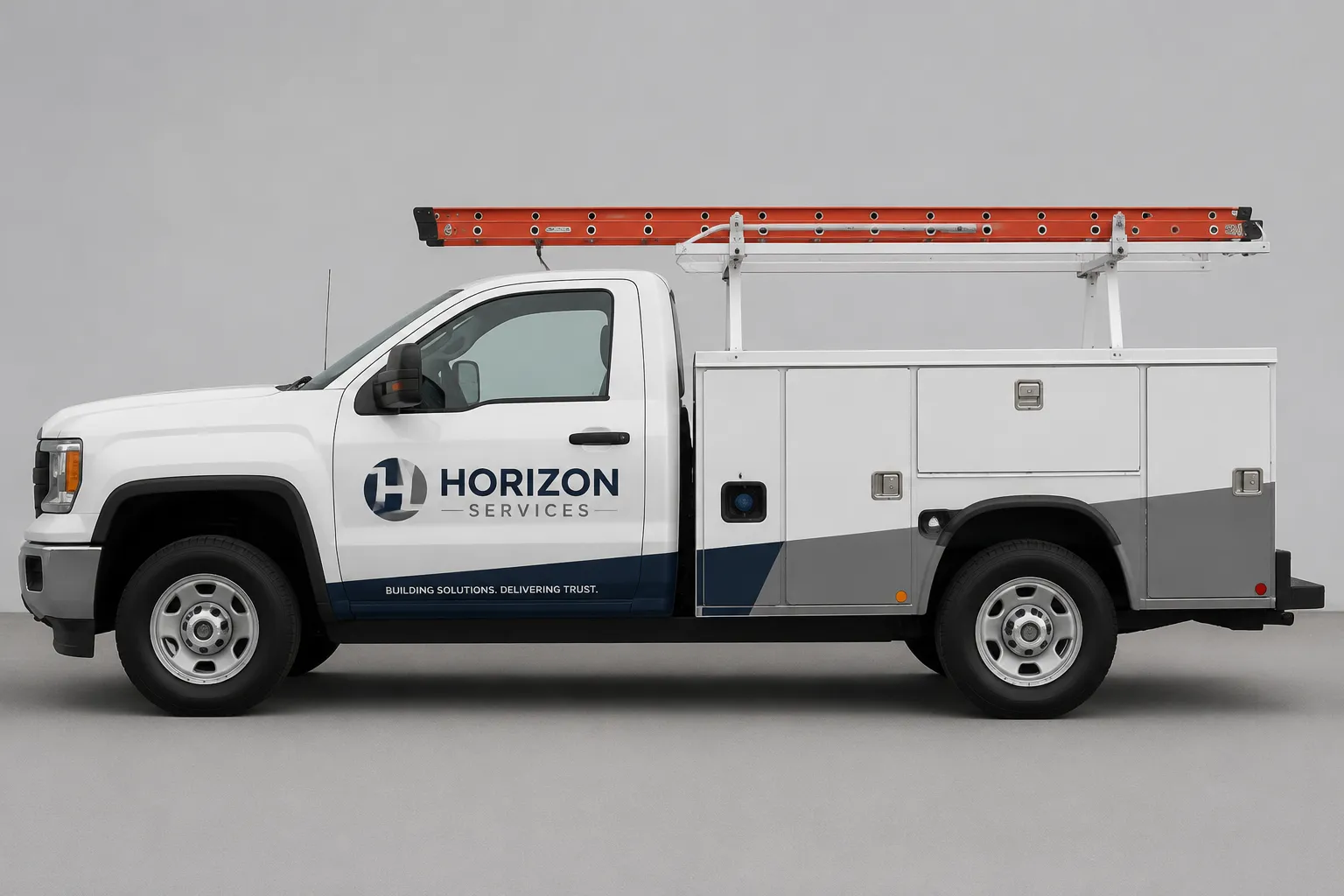
When added equipment interrupts a standard fleet layout, record the exception against one vehicle profile rather than writing that the artwork “does not fit.” Identify the equipment, mark the affected graphic area, compare viable variants under the same viewing condition, and assign each unresolved question to its owner.
A useful fleet branding exception record answers five questions:
- What equipment was added, and where is it located?
- Which body lines, panel breaks, or graphic elements does it change?
- How does the change affect hierarchy, recognition, or fleet consistency?
- Which variant reads better at the stated viewing distance?
- What remains unresolved for the designer, producer, installer, fleet owner, or rights holder?
The mockup can support a visual decision. It cannot establish final measurements, material suitability, local requirements, permissions, or installation conditions.
Start With One Vehicle Profile
Record the vehicle identifier, profile view, equipment location, and mockup revision. A side view may show a roof-mounted unit, external storage, ladder system, step, camera, or service box. A front or rear view may reveal a different obstruction.
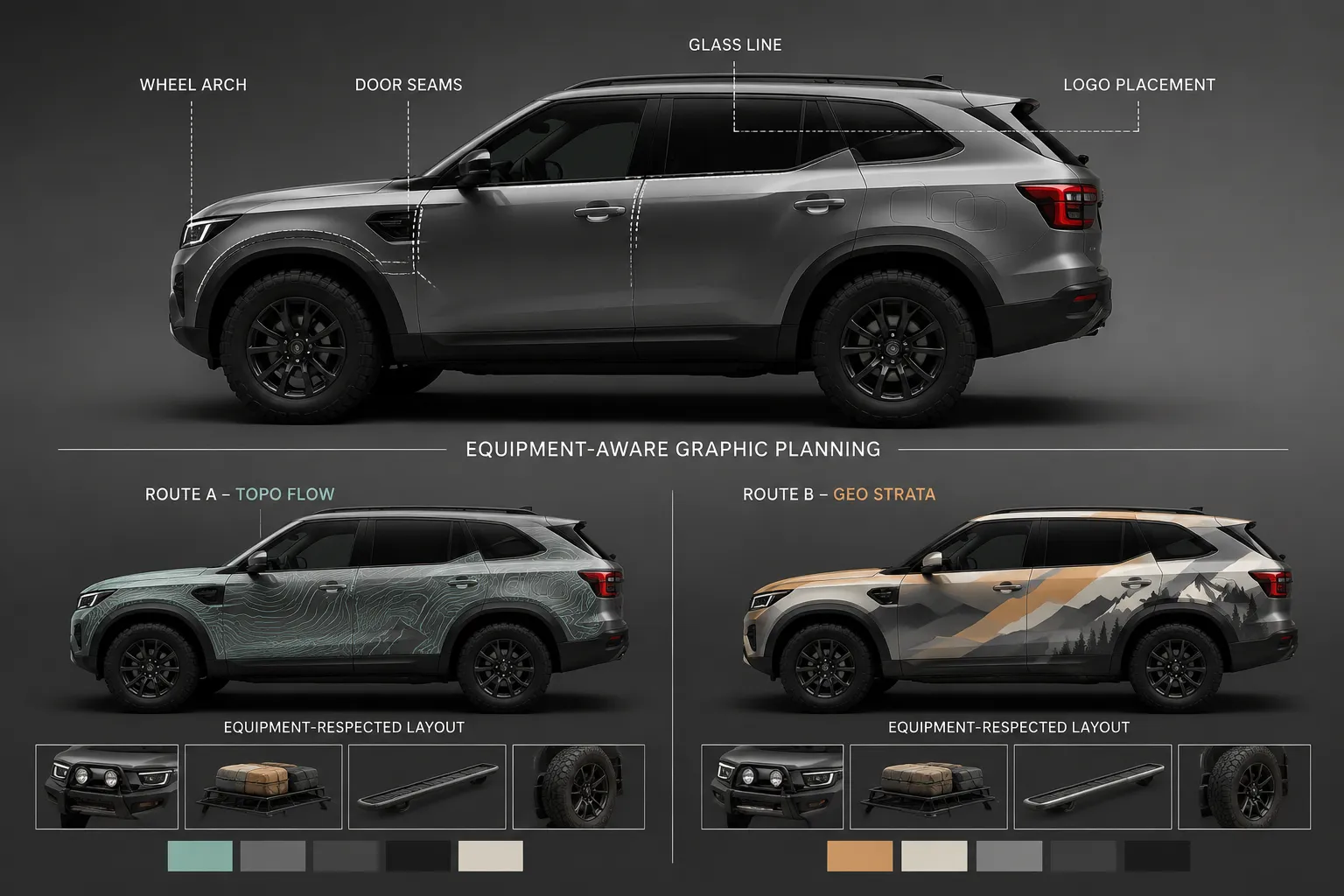
Describe the equipment by its position relative to visible features, not only by its general category. Mark the nearest:
- Body line or shoulder contour
- Wheel arch
- Door seam
- Glass line
- Handle, hinge, lamp, or access panel
- Roof edge or rear corner
- Primary logo, service line, or sponsor panel
The same equipment can create different exceptions on different vehicle profiles. A roof-mounted unit may leave the main side body open on one model while interrupting a roofline treatment on another.
Record the affected geometry first.
State what the concept shows, then separate the project facts that still require confirmation. Current vehicle measurements belong with the producer or installer responsible for that handoff.
Define the Standard and the Exception
Describe the standard fleet layout in one sentence before describing the change. For example:
The standard side layout places the primary brand mark across the front door and carries the supporting graphic toward the rear quarter.
Then state the exception:
Added side equipment occupies part of the rear quarter, so the supporting graphic stops before the equipment zone.
This wording identifies the design decision without presenting the concept as a production outcome. The affected area may be small, but its position can change how the vehicle reads.
An obstruction near the primary logo can weaken brand hierarchy. An obstruction near a secondary message may have less effect but still create a visible break across the fleet. A wheel arch can interrupt a continuous stripe, while equipment near the glass line can alter the apparent height of the graphic.
Review the Body Geometry
Inspect the artwork in relation to the vehicle rather than judging the canvas by itself. A route that appears continuous on a flat presentation may break at a door seam, narrow around a wheel arch, or terminate before a box or bracket.
Body line and contour
Check whether the graphic follows the vehicle contour or changes direction because of the equipment. An abrupt stop can look accidental. A termination aligned with a body break may read as intentional in the concept.
This remains a visual observation. Confirm the proposed path against the actual vehicle and application specifications.
Wheel arch
Compare a graphic that crosses the wheel arch with one that ends before it or resumes on the next panel. The continuous route may appear more complete in a stationary close view. At greater distance, the shorter route may preserve the primary logo more clearly by reducing competition around the wheel opening.
The visible tradeoff is between continuity and hierarchy.
Glass line and door seams
The glass line provides a strong horizontal reference. Equipment near the upper body can make a graphic appear compressed or displaced. Door seams can divide a wordmark, separate a sponsor tier from the main brand, or create uneven spacing between otherwise similar vehicles.
Record whether the exception changes the:
- Logo position
- Message length
- Stripe continuity
- Negative space around the mark
- Alignment with neighboring vehicles
- Relationship between primary and secondary information
Compare Variants Under the Same Condition
Use the same vehicle profile, camera angle, scale, background treatment, and viewing condition for both variants. A close-up mockup and a distant render cannot support a fair comparison.
| Review point | Standard path | Equipment-aware path |
|---|---|---|
| Primary brand mark | Does the equipment interrupt or crowd it? | Does the mark retain its intended position? |
| Supporting graphic | Does it continue through the affected area? | Does it stop, shift, or resume? |
| Body geometry | Does the artwork fight a seam or contour? | Does the route acknowledge the panel structure? |
| Recognition | What reads first at the selected distance? | Does the exception change that order? |
| Fleet consistency | How closely does it match the standard vehicle? | Is the difference visible and explainable? |
| Handoff need | What measurement or production question remains? | What permission or owner decision remains? |
One variant may preserve the fleet system while forcing artwork through the equipment zone. The other may protect that area and better suit the individual profile while creating a visible difference from the standard layout.
Neither route wins universally. Record which priority governs this vehicle: brand hierarchy, recognition, panel geometry, sponsor separation, or fleet consistency.
Test Recognition at Viewing Distance
Fleet graphics may be seen while vehicles are parked, passing, turning, or entering a site. A close inspection can reveal panel alignment that disappears in motion. A distant view can show whether the brand mark remains recognizable while hiding a small spacing issue.
Use the conditions that affect the decision:
- Stationary close view: inspect seams, gaps, alignment, and equipment proximity.
- Distance view: inspect brand hierarchy, overall shape, and message recognition.
- Motion-oriented view: inspect whether the primary mark and colorway remain readable in sequence.
Research on fleet visual communication supports treating recognition and consistency as relevant review concerns. It does not select a layout for this vehicle or establish how a particular mockup will appear in road use. Logo-recognition research can offer a limited comparison point about information load under restricted viewing time, but it concerns service signs rather than vehicle graphics.
Motion legibility is a review condition, not a guarantee.
Record what reads first, second, and last. If the equipment pushes a sponsor mark closer to the primary logo, note whether the sponsor tier begins to compete visually with the fleet brand. If the logo moves into a smaller area, record whether its recognition changes at distance.
Protect Brand and Sponsor Hierarchy
A graphics exception can create a hierarchy problem even when every required element remains present. Inspect the primary brand mark first, followed by service information, contact information, campaign graphics, and sponsor marks.
Useful observations include:
- The primary brand remains visible, but the supporting message moves into the wheel-arch area.
- The sponsor tier keeps its size, but its spacing from the main mark is reduced.
- The equipment occupies the preferred color field, so the secondary colorway takes more of the visible side.
- The logo remains intact, but the visual link between the logo and service message disappears.
Color comparison also needs a defined condition. Screen appearance does not establish how a reproduced graphic will appear. Record the specified color reference, comparison environment, and unresolved color or texture question separately. The producer must confirm the relevant production details.
Make the Difference Explainable
Fleet consistency does not require every vehicle to hide its physical differences. It requires the record to show why a graphic stops, shifts, or changes route.
Compare the exception vehicle with the standard vehicle using the same profile and scale. Note changes to the main color block, logo position, stripe route, sponsor tier, front or rear recognition cue, spacing, and visual balance across the side body.
Do not copy the exception across the fleet automatically. Confirm each vehicle profile and equipment location before treating the layout as a repeatable rule.
Separate the Handoffs
The concept review can identify dependencies, but it cannot close them.
- Producer or installer: confirm equipment footprint, clearances, surface transitions, access requirements, edge conditions, materials, and application specifications.
- Fleet owner or rights holder: confirm permission to move or resize marks, alter a sponsor tier, change clear space, or use an alternate colorway.
- Project reviewer: confirm applicable local road-use and visibility requirements from current project documents.
- Designer: revise the mockup and maintain the comparison record when the confirmed condition changes.
Use a Recordable Handoff Note
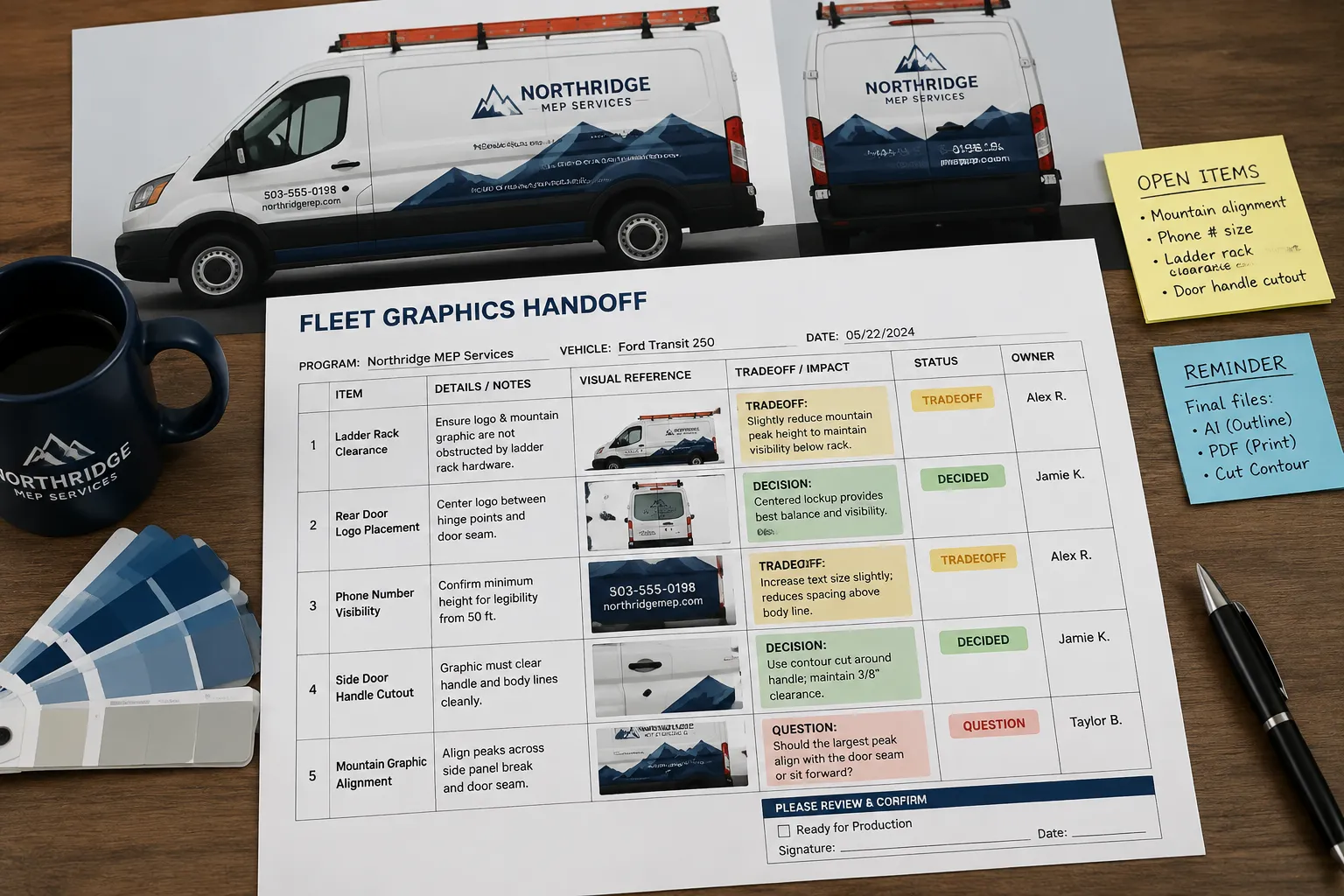
Keep the final note specific enough for another reviewer to continue the decision:
- Vehicle: fleet identifier and profile
- Equipment: type and location
- Affected graphic area: panel, body line, wheel arch, glass line, or door seam
- Compared variants: standard path and equipment-aware path
- Viewing condition: close, distance, or motion-oriented comparison
- Visible tradeoff: hierarchy, recognition, panel geometry, or fleet consistency
- Concept decision: retain, revise, or hold for confirmation
- Unresolved question: measurement, material, production, local requirement, or rights issue
- Responsible handoff: designer, producer, installer, fleet owner, or rights holder
- Next record: measurement, revised mockup, permission record, preflight note, or sign-off request
“Hold for confirmation” is useful when the visual direction is clear but a project fact remains missing. It keeps the review moving without presenting the mockup as a final production decision.
A fleet graphics exception is documented well when another reviewer can see what changed, why the layout differs, how the comparison was made, and who must answer the remaining question. Record that decision, then send the unresolved dependency to its responsible owner.
Sources
- Visual Communication in Shared Mobility Systems as an Opportunity for Recognition and Competitiveness in Smart Cities
- Setting tolerances on color and texture for automotive coatings
- Why most Brand Manuals fail when it comes to defining Brand Colors; And how to determine acceptable color deviations for specific Brand Colors